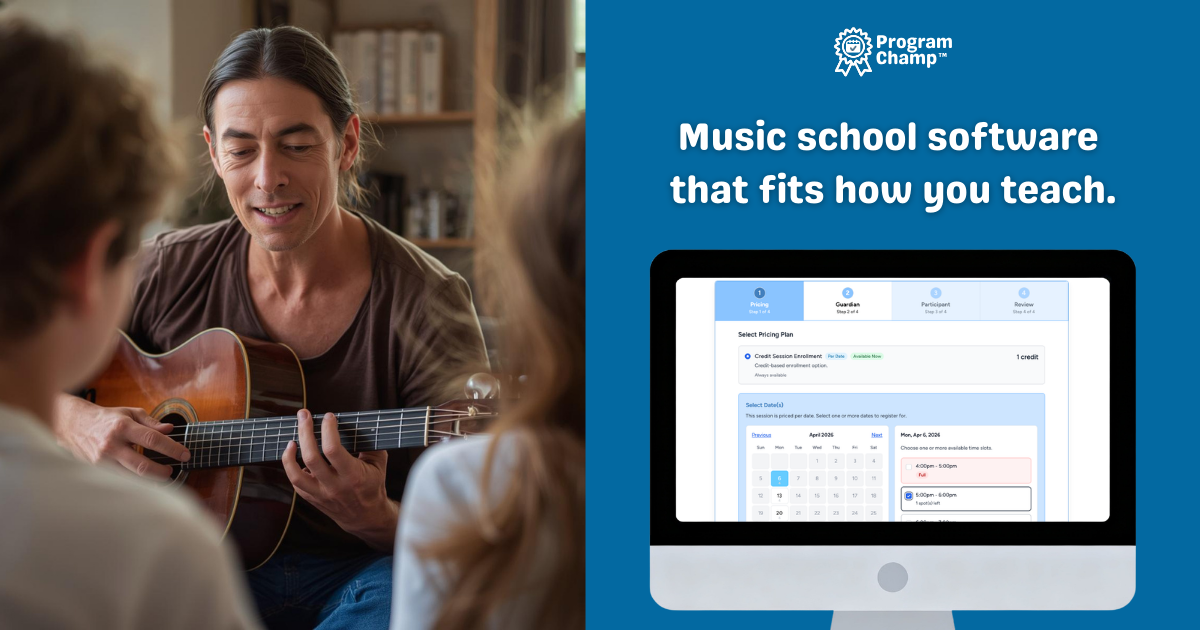
Music school management software for lessons, scheduling, billing & skill tracking

Set weekly lessons once and the timetable repeats. Parents register, pay tuition, and see what they owe online. Music school scheduling software and music school billing software in one system, built for how your studio already runs.

Music school management software for lesson scheduling, billing, and attendance
  • Recurring lesson scheduling
  • Online tuition & registration
  • No per-student fees

$69/month. No per-student fees. Pricing by staff logins. Cancel anytime.

Sound familiar?

  • Every weekly lesson lives in your calendar as a separate booking you keep re-entering
  • Tuition is tracked in a spreadsheet, and you chase parents by text when a payment is late
  • Students, payments, and parent messages are spread across too many tools
  • Building the teacher timetable each term takes a whole weekend

There's a better way. ProgramChamp™ works the way your school already runs.

Music school software guide: scheduling, management, and what to look for

Start your free 30-day trial

Add your lessons, teachers, and tuition. What you set up stays when you subscribe.

No credit card required

Country is United States.

What do you need?

By starting your free trial, you agree to the Terms of Service (opens in a new tab) and Privacy Policy (opens in a new tab).

Who This Music School Management Software Is For

ProgramChamp™ is built for small-to-mid-sized music schools and lesson-based programs that want one music school management system instead of juggling spreadsheets, calendars, and payment apps.

  • Private lesson teachers and solo instructors who want online registration and billing without complexity
  • Multi-teacher music schools with piano, guitar, voice, or other instruments
  • Studio owners tired of generic schedulers that weren't built for recurring lessons
  • Schools that also host birthday parties and want party bookings, payments, and the calendar in the same system as lessons

Scheduling, billing, and admin in one music school management system

Most music school management software handles one of these well. You need all three, connected, so a lesson on the timetable is the same lesson on the tuition bill and the attendance sheet.

Scheduling and timetables

Music school scheduling software should build the week once, not every week.

  • Recurring weekly lessons that repeat on their own
  • A different lesson time on Monday than on Wednesday
  • Private lesson slots parents pick themselves
  • Rooms with a gap between bookings so lessons do not run into each other
  • Every lesson, class, and party on one calendar, with a link to subscribe in Google, Apple, or Outlook Calendar
  • Lesson packs where parents book their own makeup lessons

Billing and tuition

Music school billing software should collect tuition without the reminder texts.

  • Monthly tuition on the day of the month you choose
  • Payment plans, and smaller charges for students who start late
  • Sibling discounts at checkout
  • Lesson packs and punch cards for families who do not want a weekly slot
  • Cards, or US bank payments with an optional bank discount
  • Parents see what they paid and what they owe in the parent portal

Studio administration

Music school administration software should cut the paperwork, not add screens.

  • Attendance on a phone, with a roll call PDF
  • Online registration forms and waivers families sign before the first lesson
  • A note to every family in one class, and skill notes that go home
  • Enrollment, revenue, and open balances at a glance
  • Teacher and admin logins, with a record of who changed what
  • Families, students, and enrollment history imported from your old system

Prefer to read first? Our music lesson scheduling software guide covers what to compare.

Everything else you need to manage your music school

Families, teachers, progress, and communication, out of the box.

Students & Families

  • Parent accounts with multiple students
  • Centralized family information
  • Designed for real parent/student relationships

Rosters & Attendance

  • Class and lesson rosters at a glance
  • Attendance tracking
  • Visibility per teacher or class

Skill & Level Progression

  • Build your own grade or level milestones and practice skills per instrument
  • Teachers mark each student working on it or mastered right from the lesson roster
  • Flag who is ready for the next level or recital, and let families follow progress in the portal

Communication

  • Message parents easily
  • Send updates to classes or groups
  • Notifications and reminders

Teachers & Staff

  • Add instructors and admins as your school grows
  • Secure access with a clear audit trail of changes
  • Per-teacher schedules, rosters, and attendance

Reporting & Insights

  • Enrollment, revenue, and outstanding balances at a glance
  • Saved views and exports for rosters and payments
  • Know how your school is doing without spreadsheet math

Host birthday parties at your studio?

Many music schools run kids’ parties: jam sessions, singalongs, or room rentals. ProgramChamp™ handles weekly lesson registration and party booking in one place. Families book online, you collect deposits, and party times sit on the same calendar as your teaching schedule, so most teams need no second app.

Read more: birthday party booking software for kids’ activity businesses

Thinking about switching? We move your data for you.

The hardest part of changing software isn’t learning a new screen. It’s moving years of families and enrollments without running two systems forever. ProgramChamp™ imports your school’s data from your existing Jackrabbit, iClassPro, Jumbula, or Class Juggler export, so you start with your people already in place, not a blank screen.

Your families and students come with you

Guardians, participants, and siblings import into the right household accounts, so parents aren’t recreated from scratch and your rosters look familiar on day one.

Years of enrollment history

Bring current enrollments and multiple years of class history across, along with medical and emergency notes, so you and your parents keep the record you’ve built.

Historical attendance from exports

When your old system can export roll-call or attendance reports, we import that history too, matched to the families and classes you bring over. It never affects live billing or capacity.

Autopay schedules without double billing

Import installment and autopay schedules as inert placeholders so staff see who owes what. Families add payment methods fresh in ProgramChamp™. We cannot move saved cards from Jackrabbit, iClassPro, or similar systems. Cutover tooling helps you avoid charging twice.

We can do it for you

Send us your standard roster, enrollment, attendance, and billing exports and we’ll run the migration and walk you through setup. No logins to your old system required.

Online payments require Stripe

ProgramChamp does not process credit cards or bank debits on your behalf. To accept online credit/debit card payments or US bank payments (ACH), you connect a Stripe account (Stripe Connect). Funds settle to your connected account; Stripe bills processing fees there, not on your ProgramChamp subscription.

Credit/debit cards

Rate
2.9% + $0.30
Method
Credit/debit cards
Per
Successful charge

ACH Direct Debit

Rate
0.8%
Method
ACH Direct Debit
Cap
$5.00

Example fees for the same charge amount

If a family pays the same amount, Stripe’s approximate processing fee and what you receive after the fee:

Example Stripe processing fees for credit/debit cards versus ACH Direct Debit at the same charge amounts
Charge amount Credit/debit cards ACH Direct Debit
Family pays Stripe fee You receive Stripe fee You receive
$100.00 $3.20 $96.80 $0.80 $99.20
$500.00 $14.80 $485.20 $4.00 $496.00
$1,000.00 $29.30 $970.70 $5.00 ($5.00 cap) $995.00

Approximate fees per successful payment using 2.9% + $0.30 for cards and 0.8% for ACH Direct Debit ($5.00 cap per transaction). Actual Stripe invoices may vary slightly. ProgramChamp does not add processing fees on top of Stripe.

Credit/debit cards are typically 2.9% + $0.30 per successful charge. ACH Direct Debit is 0.8% per successful payment with a $5.00 cap per transaction. Bank payments take a few business days to clear.

Optional ACH tuition incentives let you offer a percent or fixed discount at checkout when families pay by US bank account (configure in Payment settings; card payments keep the standard amount). You can still record cash, check, Zelle, and Venmo in ProgramChamp without Stripe.

Questions music school owners ask

What is music school management software?
Music school management software is one system for running a lesson-based studio: scheduling recurring private and group lessons, tuition and billing, attendance and rosters, student and family records, parent communication, and reporting. Instead of separate spreadsheets, calendars, and payment apps, everything lives in one place so owners and teachers spend less time on admin. See our music school software guide.
Is ProgramChamp™ music school scheduling software?
Yes. ProgramChamp™ works as music school scheduling software for recurring private and group lessons: set weekly times, teachers, and students once and the schedule repeats automatically, with rosters, attendance, online registration, and billing in the same system. Because it also handles tuition, communication, and reporting, it doubles as full music school management software.
Is ProgramChamp™ music school billing software too?
Yes. Charge monthly tuition on the day you choose, offer payment plans, charge less when a student starts late, and give a sibling discount at checkout. You can also sell lesson packs. Parents see what they paid and what they owe in the parent portal.
How do I schedule recurring music lessons without redoing the same work every week?
You set weekly lesson times, teachers, and students once. The schedule repeats automatically, families can use online music lesson registration, and you get rosters and attendance without re-entering the same block by hand. That is what music lesson scheduling software is for, versus a generic calendar that was not built for recurring lessons.
I run a small local music school: is music school management software worth it?
If you are living in spreadsheets and payment apps, probably yes. Music school management software pulls lesson scheduling, billing, and parent communication into one place so you spend less time on admin between teaching blocks. ProgramChamp™ is aimed at small-to-mid-sized schools, not enterprise franchises.
How much does music lesson scheduling software cost for a small studio?
ProgramChamp™ is $69/month with no per-student fees. Pricing is based on staff logins (your instructors and admins), not headcount, so adding students does not automatically raise your software bill. Online payments require a connected Stripe account; see pricing for card and ACH fee details. Optional ACH tuition incentives let you offer a percent or fixed discount at checkout when families pay by US bank account (configure in Payment settings; card payments keep the standard amount).
Can parents pay online for music lessons and see what they owe?
Yes. Families can register and pay online, and the parent portal helps them see registrations, invoices, and payments so you get fewer “what’s my balance?” texts during lesson hours.
Can I track each student's lesson progress and skill milestones?
Yes. ProgramChamp™ includes skill and level progression tracking: build your own grade or level milestones and practice skills per instrument, then teachers mark each student working on it or mastered right from the lesson roster. The system flags who is ready for the next level or recital, and families follow their child's progress in the parent portal, which helps retention. Admins get a school-wide readiness overview and can export a printable PDF progress report for evaluations.
Can I see the whole week's lesson timetable?
Yes. The Organization Calendar shows every lesson, class, and party. Subscribe with a private link to see it in Google, Apple, or Outlook Calendar. The feed shows sessions, not student names or family contact details.
Can I run private music lessons and group classes in the same system?
Yes. You can structure different programs (private lessons, group classes, workshops) so your whole music school registration flow stays in one tool instead of splitting tools by program type.
How do makeup lessons work if we switch to music school registration software?
If you sell lesson packs, parents book their own makeup lesson with a punch. For weekly lessons, your staff schedule the makeup. Either way it sits next to scheduling, billing, and messaging, with no separate makeup spreadsheet.
Is there music school software that does not charge per student?
ProgramChamp™ does not charge per student. That matters for growing schools: enrollment can go up without your software fee climbing with every new child. See pricing for current plans.
Can my lesson studio book birthday parties in the same app as weekly music classes?
Yes. Many studios host kids birthday parties (mini performances, singalongs, room rentals). ProgramChamp™ includes birthday party booking software so party times and payments live on the same workflow as your lessons without a second app for most teams.
Can I list lesson books and instrument supplies without charging them at checkout?
Yes. Add Required items on the program or session Details tab, such as a method book or extra strings families buy themselves. Optional store links open in a new tab. Families see What you'll need when they register and in their parent portal. Nothing is added to the card total.