
Music School Management Software: What to Look For (And What to Skip)
A practical guide for school owners evaluating software Updated March 19, 2025
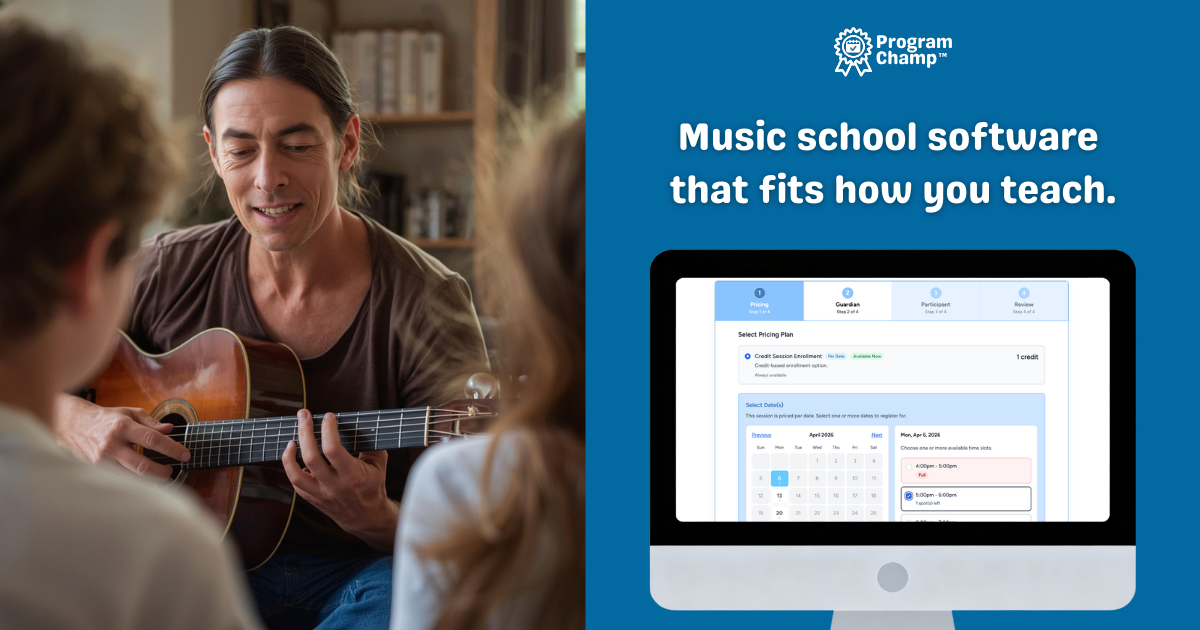
Running a music school means juggling scheduling, registration, billing, and communication. If you're still using a spreadsheet, a calendar, and Venmo for payments, you're not alone, but you're also spending more time on admin than you need to. Music school management software (sometimes called music school software) brings all of that into one place. The trick is knowing what to look for and what to avoid so you don't end up with something that's too complex, too expensive, or too generic to actually help.
Core features to look for
Good music school management software should cover the essentials without forcing you into a maze of configuration. Here's what matters:
- Scheduling: Recurring lessons that run automatically. Set weekly times once; the system repeats them. No re-entering the same lesson every week.
- Registration: Parents sign up online, add their students, and pay. You get a clear view of who's enrolled in what.
- Billing: Recurring tuition, invoicing, and online payments. Reduce the manual payment chase and the "did they pay?" questions.
- Communication: Message parents, send updates to classes or groups, and keep everyone informed without leaving the system.
- Rosters and attendance: See who's in each lesson or class at a glance. Track attendance without a separate spreadsheet.
- Skill and level progression: Build your own grade or level milestones, mark each student's progress from the lesson roster, and show families how their child is advancing toward the next level or recital. Progress that parents can see is a quiet retention win.
- Birthday party booking (if you host parties): If kids' parties are part of your studio, the same platform should handle party reservations, payments, and room/time visibility next to your teaching schedule. Otherwise you duplicate work across a lesson tool and ad-hoc party tracking.
Why birthday party booking belongs in the same stack
Management software isn't only about weekly lessons. Many owners add birthday party packages, and suddenly you're tracking deposits, guest counts, and start times in email or a second app while lessons live somewhere else. That split is where details get lost. ProgramChamp treats party booking as a first-class workflow alongside classes: one calendar for staff, one payments setup for families, and less context-switching for you. Versus some lesson-heavy competitors, that's a meaningful operational difference if parties matter to your bottom line. See birthday party booking software and compare music school registration options.
Red flags to avoid
Not all software is built for music schools. Watch out for these red flags:
- Per-student fees: If you're charged per student, you're penalized for growing. Look for flat or staff-based pricing.
- Generic tools: Scheduling software built for one-off appointments (Calendly, Acuity, etc.) doesn't understand recurring lessons. You'll fight the system every week.
- Too many tools: If you need separate apps for scheduling, payments, and communication, you're back to juggling. One system is the goal.
- Hidden costs: Setup fees, long-term contracts, or payment processing that's not transparent. You should know what you're paying upfront.
Why "one system" beats the spreadsheet + calendar + Venmo combo
When everything lives in one place, you stop context-switching. You're not checking a spreadsheet for who owes what, then a calendar for the schedule, then Venmo for payment status. Music school software that combines scheduling, registration, billing, and communication means you see the full picture: this student has a lesson Tuesday at 4, their family paid last month, and you can message them from the same screen. That reduces admin time and reduces errors. The goal isn't to add another tool. It's to replace several with one that actually fits how your school runs.
ProgramChamp's approach
ProgramChamp is built for music schools and lesson-based schools. It's designed around recurring lessons and real school workflows: scheduling, registration, billing, rosters, attendance, and communication in one system. Birthday party booking is built in too, so studios that run parties aren't stuck with a lesson-only product plus spreadsheets or another vendor for Saturday party deposits. There are no per-student fees; pricing is based on staff logins (instructors), so you can add students without extra cost. Online payments use Stripe; ProgramChamp includes pricing tools so you can account for processing fees. There are no hidden fees and you can cancel anytime. If you're ready to replace the spreadsheets and the payment chase, Start a free 30-day trial and see how it works. Most schools are up and running in under an hour.