How to Handle Tumbling/Level Progression Tracking Without a Spreadsheet
Tracking skill and level progression in tumbling can feel overwhelming, especially if you're relying on spreadsheets. While they can be helpful, they often become cumbersome and hard to manage. Instead, consider alternative methods that are not only user-friendly but also cater specifically to the dynamics of your gymnastics business. Here’s how you can effectively handle skill and level progression tracking without getting bogged down in rows and columns.
Why Skill and Level Progression Tracking Matters
Every tumbling class is about progress. Parents want to see their kids advance, and instructors need to know where each student stands. Whether it's a back handspring or a front tuck, tracking skills helps you assess readiness for the next level and ensures that you're appropriately challenging each student. It keeps everyone on the same page and fosters a culture of improvement.
What Tools Can Replace Spreadsheets?
Instead of spreadsheets, think about using specialized software designed for youth activity businesses. Many platforms offer built-in tracking features tailored for tumbling and gymnastics. This software often allows you to log each student’s progress visually, making it easier for you and your instructors to see who’s ready to move up a level.
For instance, tools like ProgramChamp let you create custom progressions for different skills. You can set benchmarks and track each student’s achievements in real-time. This not only saves time but also minimizes the risk of losing data or pulling up the wrong file—common pitfalls with spreadsheets.
Creating a Visual Skills Matrix
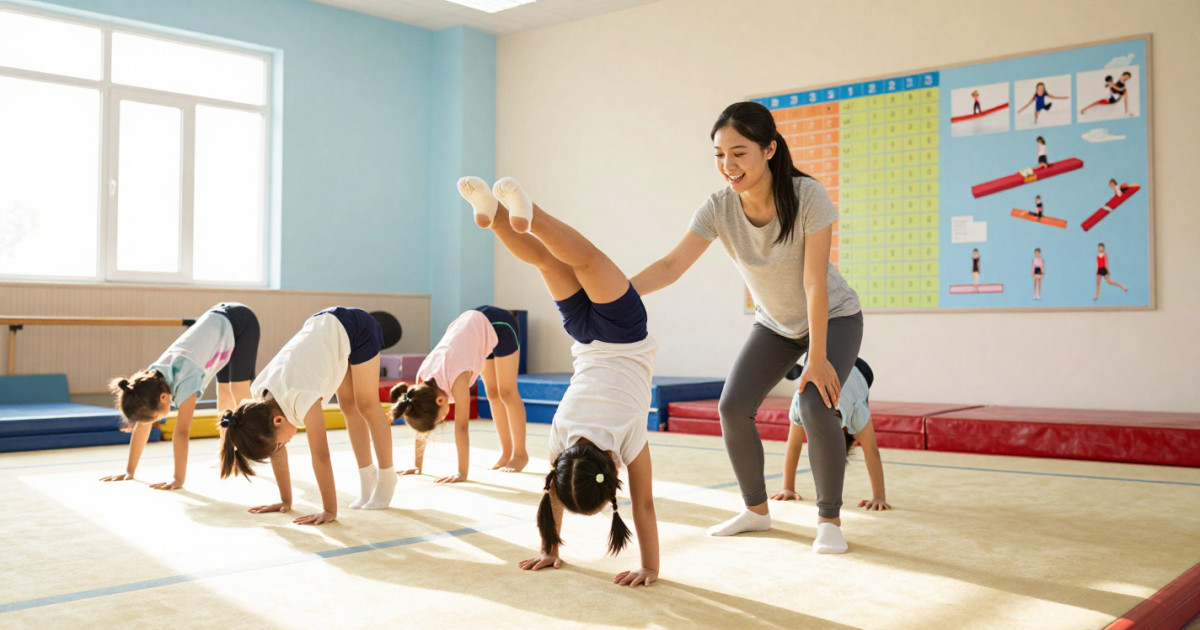
A visual skills matrix can be a game-changer. Instead of a spreadsheet, consider a wall chart or digital display that outlines the skills needed for each level. Include visual cues, such as pictures of students performing the skills, which can motivate both students and instructors.
For example, if a student needs to master a cartwheel before advancing, you can mark their progress with stickers or digital icons. This method not only keeps things organized but also adds a fun, interactive element to tracking.
Engaging Instructors in the Process
Involve your instructors in the skill tracking process. Regular meetings or digital check-ins can help them share insights on student progress. You can use collaborative tools like shared notes or task management apps that everyone can access. This creates a team approach to tracking progress and ensures that everyone is on the same page about each student's journey.
Communicating Progress to Parents
When parents are informed about their child’s progress, it fosters trust and satisfaction. Instead of sending out a detailed spreadsheet that might confuse them, consider creating simple progress reports. These can highlight skills mastered and areas for improvement in an easy-to-read format.
For example, you might send a monthly update that includes a summary of skills learned, upcoming goals, and recommendations for practice at home. This keeps parents engaged and encourages them to support their child’s progress outside of class.
Monitoring Progress with Video
Another innovative approach is to use video for skill progression tracking. Record your students during practice and use the footage to demonstrate improvements. You can annotate the videos to point out specific skills and highlight areas where they’ve improved.
This not only provides tangible proof of progress but also allows you to offer personalized feedback. When a student sees their back handspring improving over time, they’re often more motivated to keep pushing forward.
Adapting Your Tracking System Over Time
Your tracking methods should evolve as your business grows. Regularly assess what’s working and what’s not. If you notice that instructors are struggling to track progress effectively, it might be time to revisit your system.
You could implement new features in your skill tracking software or even try out new visual aids. The key is to stay flexible and responsive to the needs of both your instructors and your students.
Conclusion
Moving away from spreadsheets for skill and level progression tracking doesn’t just simplify the process; it enhances the entire learning experience. By using specialized software, visual aids, and engaging parents and instructors, you create a more effective and enjoyable environment for everyone involved. Embrace these methods, and watch your students soar as they master their tumbling skills.
Frequently asked questions
- How can I track gymnastics skills and level progression without using a spreadsheet?
Consider using specialized software designed for gymnastics centers. These platforms often include built-in tracking features that allow you to log and visualize student progress more efficiently than traditional spreadsheets.
- What are the benefits of using a visual skills matrix for tracking progress?
A visual skills matrix helps both students and instructors see the skills required for each level at a glance. It can include pictures and motivational markers, making it easier to track progress and keep students engaged.
- How do I know when a student is ready to advance to the next level in tumbling?
Regularly assess each student's performance on key skills and compare their progress against established benchmarks. This hands-on approach, combined with visual tracking tools, can provide clarity on readiness for advancement.
- What features should I look for in a gymnastics skills tracking software?
Look for software that allows for custom skill progressions, real-time tracking, and easy data visualization. These features will help you manage student progress more effectively and reduce the risk of lost information.
- Can parents see their child's progress in gymnastics skills and level tracking?
Many tracking software options allow you to share progress reports with parents, keeping them informed about their child's achievements and areas for improvement. This transparency can enhance parent satisfaction and engagement.
- How can I motivate students to improve their gymnastics skills?
Use a combination of visual tracking tools and positive reinforcement. Celebrating small milestones and showcasing progress visually can inspire students to work harder and feel proud of their accomplishments.
Run your classes, camps, and parties with ProgramChamp
Registration, scheduling, waivers, and parent accounts in one place.